
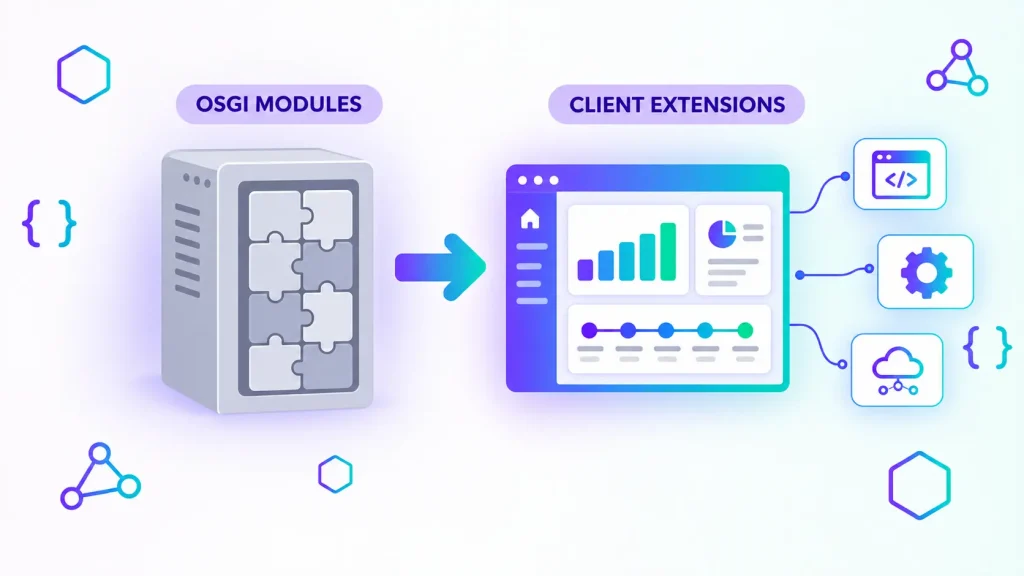
If you build on Liferay DXP today, every new customization starts with the same question: should this be a client extension or an OSGi module? For more than a decade, OSGi modules were the only serious way to extend Liferay. Since Liferay 7.4, client extensions have become the model Liferay itself recommends by default, and on Liferay SaaS they are the only option for custom code.
This guide compares Liferay client extensions vs OSGi modules from a practical, project-level point of view: what each one is, where each one can run, how they behave during upgrades, and a simple decision framework you can apply to your own backlog in 2026.
What Are OSGi Modules in Liferay?
OSGi modules (also called OSGi plugins or bundles) are Java components deployed inside the Liferay runtime. Since Liferay 7.0, the platform itself is built from OSGi modules, so a custom module sits next to Liferay’s own code and has access to its internal services, extension points and the service layer generated by Service Builder.
Typical OSGi use cases include:
- Custom portlets (MVC Portlet, JSP-based or React-based widgets packaged as modules)
- Service Builder entities with their own database tables
- Model listeners, service wrappers and other hooks into core behavior
- Custom authentication, permission or indexing logic
- Overrides of core JSPs, language keys or OSGi components
That deep access is the main strength of OSGi, and also its main cost. Liferay’s own training material notes that OSGi plugins run natively within the core, require specialized Liferay expertise and carry a higher risk of breaking during system updates. Every internal API you touch is an API that may change in the next quarterly release.
What Are Liferay Client Extensions?
Client extensions are customizations that live outside the Liferay portal container. According to Liferay’s documentation, they extend Liferay without having to deploy code directly to Liferay, and they interact with the platform only through well-defined APIs. They are developed in Liferay Workspace, described in a client-extension.yaml file and packaged as a LUFFA archive (Liferay Universal File Format Archive).
Liferay groups client extensions into four main classifications:
- Frontend: CSS, JavaScript, theme CSS, theme favicons, sprite maps, custom elements (web components) and iframes. This is where theme customization and React/Vue/Angular widgets now live.
- Configuration: instance settings and OAuth 2 configurations managed as code, so the same configuration can be promoted from development to production.
- Microservice: external services triggered by Liferay events, for example object actions, object validations and workflow actions. Liferay calls your endpoint, and your service runs wherever you host it, in any language.
- Batch: data entities such as object definitions or workflow definitions exported through the batch engine and imported on deployment.
There are also commerce-specific types (checkout steps, payment integrations, shipping engines) for Liferay Commerce projects.
Key Differences: Client Extensions vs OSGi Modules
Coupling and upgrade safety
This is the decisive difference. OSGi modules compile against Liferay’s internal APIs, so a platform upgrade often means recompiling, fixing broken imports and retesting behavior. Client extensions depend only on public, stable APIs (headless REST, GraphQL, object and workflow hooks, CSS and JS injection points). Liferay states that this loose coupling makes them easier to apply to environments after an upgrade, because they depend only on APIs that rarely change between versions.
For organizations that now have to follow Liferay’s quarterly release cadence, this matters a lot: the fewer OSGi modules you carry, the cheaper each upgrade becomes. We covered the upgrade side in detail in our guide to Liferay DXP 7.4 end of support and upgrade paths.
Where they can run
- Liferay SaaS: client extensions only. Custom OSGi modules cannot be deployed.
- Liferay PaaS: both. Client extensions use their own CI pipeline alongside your usual Git-based workflow.
- Self-hosted: both. Client extension archives go into
[Liferay Home]/osgi/client-extensions/or are bundled with Workspace.
If moving to Liferay SaaS is on your roadmap, every OSGi module in your codebase is a migration item.
Technology and skills
OSGi development requires Java, Gradle, the OSGi component model and solid knowledge of Liferay internals. Client extensions open the door to standard frontend stacks (React, Vue, Angular, plain web components) and, for microservices, any backend language that can expose an HTTP endpoint and validate OAuth 2 tokens. This widens the pool of developers who can contribute safely.
Performance and transactions
OSGi code runs in-process, shares Liferay’s transactions and has no network hop. Microservice client extensions add latency and have to deal with retries, timeouts and eventual consistency. For heavy, synchronous, transaction-sensitive logic, in-process code can still be the better technical fit.
Operations
Microservice client extensions are separate services: you need to host, monitor, secure and scale them (Liferay PaaS and SaaS can host them for you). Frontend, configuration and batch client extensions add almost no operational overhead.
When to Choose Client Extensions
Liferay’s own guidance is to default to client extensions and reserve OSGi for complex, core-level customizations. In practice, choose client extensions when you need to:
- Restyle a site or replace a classic theme with theme CSS and frontend tokens
- Build interactive widgets as custom elements using a modern JavaScript framework
- Embed an existing external application via an iframe client extension
- React to business events (object entry created, workflow step reached) with external logic
- Integrate an ERP, CRM or other back-office system through headless APIs
- Ship configuration and data definitions (objects, workflows) as versioned code
- Keep the door open to Liferay SaaS or simply cut future upgrade costs
Combined with Liferay Objects for data modeling, client extensions now cover a large share of what used to require Service Builder plus custom portlets.
When OSGi Modules Are Still the Right Choice
Client extensions do not replace everything. Liferay itself states that when you must fundamentally alter core behavior, OSGi plugins provide the necessary deep access. Keep OSGi for cases like:
- Changing core behavior that no public API or extension point exposes (service wrappers, model listeners on core entities)
- Custom authentication pipelines, auto-login or low-level security integrations
- Custom search indexers, query contributors or deep Elasticsearch/OpenSearch tuning
- Performance-critical, transactional logic that must run in the same JVM
- Large existing Service Builder applications where rewriting brings no business value yet
If you go this route, keep modules small, isolate them behind clear interfaces and document every internal API they depend on, so the next upgrade can be scoped quickly. Our case study on custom OSGi modules and portlets for Liferay DXP shows what this looks like on a real project.
A Practical Decision Framework
For each customization in your backlog, ask these questions in order:
- Can it be done with configuration, fragments or Objects? If yes, no code is needed at all.
- Is it purely presentation (look and feel, widgets, embedded apps)? Use a frontend or custom element client extension.
- Does it react to a business event or call an external system? Use a microservice client extension and headless APIs.
- Does it require changing core behavior or running inside a core transaction? Only then, use an OSGi module.
- Are you on, or moving to, Liferay SaaS? Then step 4 is not available: redesign the requirement around public APIs.
A real example. For a technology company in the MENA region, we delivered six custom OSGi modules on Liferay DXP 7.3: an approval workflow engine, PDF contract generation, document versioning, and a REST gateway to their SAP ERP, plus an Angular widget to display ERP data inside the portal. At the time, OSGi was the only option, because client extensions only arrived with 7.4. Applied to the same backlog today, the framework gives a different split. The Angular widget becomes a custom element client extension. The SAP gateway becomes a microservice client extension. The data model starts with Objects before we write any Service Builder. Only the logic that must run inside Liferay’s transactions stays in OSGi. The result for the client: instead of recompiling six modules at every quarterly release, they would carry two or three. And because we only used public DXP APIs from the start, even the modules we kept remain cheap to upgrade.
Migrating Existing OSGi Modules to Client Extensions
Most companies upgrading from Liferay 7.x or 6.2 carry a mix of portlets, hooks and modules. A pragmatic migration path looks like this:
- Inventory every custom module and classify it as presentation, integration, data model or core override.
- Quick wins first: themes and simple JS/CSS customizations usually move to frontend client extensions with little effort.
- Replace Service Builder entities with Objects where the data model is simple, then move business logic to object actions and validations.
- Move integrations to microservice client extensions that call Liferay’s headless REST APIs.
- Keep and modernize the remaining core-level modules, compiled and tested against the target release.
If you are still on Liferay 6.2, start with our step-by-step Liferay 6.2 to DXP 7.4 migration guide, and see how we handled a full upgrade in our Liferay portal migration case study.
In practice, we start with a short audit of the codebase. We list every portlet, hook and module, check which Liferay internal APIs each one touches, and classify it as presentation, integration, data model or core override. The deliverable is a module-by-module migration matrix: target approach (client extension, Objects, or keep as OSGi), effort estimate and risk level for each line. On the 6.2 to 7.4 migration of a financial-services portal with more than 30 legacy portlets, this matrix was the backbone of the whole project, and it is what let us promise zero downtime at go-live. A typical inventory takes about two weeks for a portal of that size.
FAQ
Are OSGi modules deprecated in Liferay?
No. OSGi remains the foundation of the Liferay platform and is fully supported on self-hosted and PaaS deployments. Liferay simply recommends client extensions as the default and OSGi for core-level customizations.
Can I use OSGi modules on Liferay SaaS?
No. Liferay SaaS does not allow custom OSGi module deployment. Customizations must use client extensions, Objects, fragments and other built-in, configuration-based features.
Which Liferay versions support client extensions?
Client extensions are available from Liferay DXP 7.4 onward and on all quarterly releases. They can be deployed to self-hosted, PaaS and SaaS environments.
Do client extensions have to be written in JavaScript?
No. Frontend client extensions are web resources (CSS, JavaScript, web components), but microservice client extensions can be written in any language that exposes an HTTP endpoint, such as Java with Spring Boot, Node.js or Python.
Can I mix client extensions and OSGi modules in one project?
Yes, on self-hosted and PaaS. Many real projects combine client extensions for presentation and integrations with a small number of OSGi modules for core overrides.
Budgeting a migration? Our Liferay upgrade cost and timeline guide explains where the money goes and how to get a reliable estimate.
Planning a Liferay upgrade? Get a free technical assessment. We will review your custom modules, identify which ones can become client extensions, and estimate the effort. You can also learn more about our enterprise Liferay portal services and our Liferay expertise.