
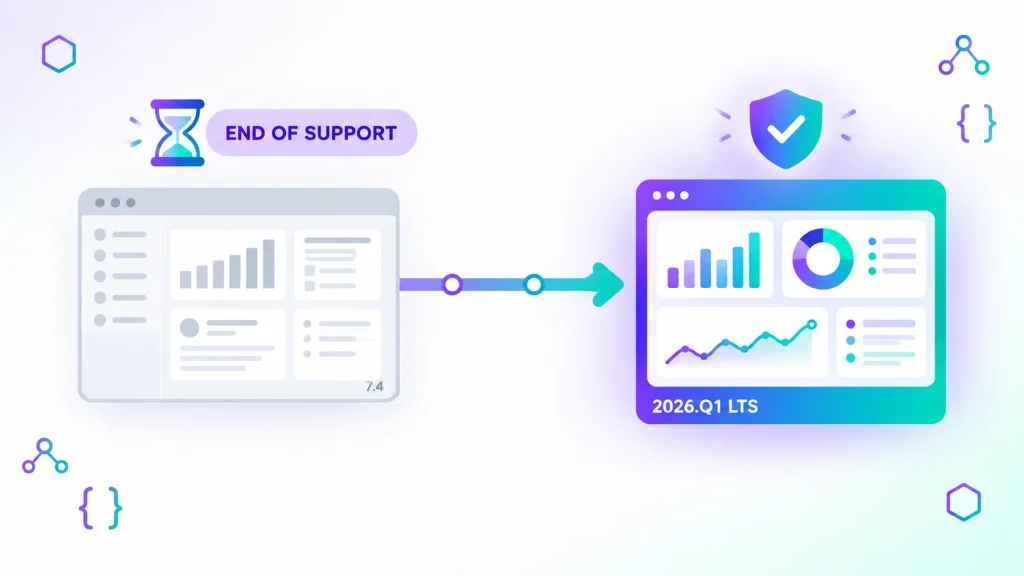
If your company runs Liferay DXP 7.4, the question is no longer whether to upgrade but when and to what. Liferay has changed how it versions and supports DXP: the old “7.4 Update” numbering has given way to quarterly releases, and each year one of them is designated Long-Term Support (LTS). This article explains what the Liferay 7.4 end of support timeline actually looks like, what changes in the 2026.Q1 LTS release, and which upgrade path makes sense depending on where you start.
Liferay 7.4 end of support: the key dates
Liferay’s End of Life policy for DXP 7.4 defines two phases. The Premium Support Phase runs until four years after the general availability of the 7.4 Final Release; the Limited Support Phase then lasts another three years. Liferay states that the Final Release of DXP 7.4 became generally available on September 1, 2023, which puts the end of Premium Support at September 1, 2027.
The difference between the two phases matters more than the dates themselves:
- Premium Support includes security patches for Severity 1, 2 and 3 vulnerabilities and incident ticket handling.
- Limited Support only covers security patches for Severity 1 vulnerabilities. Medium and low severity issues are no longer patched, which is usually unacceptable for an externally facing portal or anything subject to a security audit.
In practice, most organisations should treat September 2027 as the real deadline. A major upgrade on an enterprise portal typically needs several months of analysis, code migration and testing, so projects that start in 2027 will be tight.
The hidden deadline: 7.4 Updates already lost hotfixes
There is an earlier cut-off that many teams miss. According to Liferay’s transitional support coverage notice, Emergency Updates (hotfixes) for DXP 7.4 Update 1 through Update 92 were available only until August 31, 2025. After that date, hotfixes are provided only for 7.4 Update 92. If you are still on an earlier 7.4 Update (for example U72 or U85), you remain inside the Premium Support window on paper, but you no longer receive emergency fixes for your exact version. Liferay may instead recommend that you move to a newer release.
How Liferay versioning works now: quarterly releases and LTS
Starting with DXP 7.4 U92, Liferay moved to a quarterly release schedule. Releases are named by year and quarter (for example 2023.Q3, 2024.Q1, 2025.Q1), with patch levels added on top. Two rules drive your planning:
- Each year, the Q1 release is the LTS version: three years of Premium Support followed by two years of Limited Support.
- Other quarterly releases (Q2, Q3, Q4) get one year of Premium Support and no Limited Support phase.
For a company that upgrades every two or three years, landing on an LTS release is almost always the right call. Targeting a Q2 or Q3 release means you will be forced into another upgrade within twelve months.
What changes in Liferay DXP 2026.Q1 LTS
2026.Q1 is the current LTS target for teams leaving 7.4. Compared with a 7.4 Update, it is not just a patch level: the underlying platform has moved significantly.
Jakarta EE namespace
From 2025.Q3 onwards, Liferay uses the jakarta.* namespace instead of javax.*. Every custom OSGi module, portlet, servlet filter or JSP that imports javax.servlet, javax.portlet or similar packages must be migrated. Liferay provides tooling for this: the Liferay Gradle Workspace plugin (version 14.0.0 and later) supports blade gw upgradeJakarta, and Liferay’s own developers recommend running the Jakarta transformation and the upgrade step as separate passes so you can see which change caused what. Third-party libraries also need Jakarta-compatible versions.
Java, application servers, databases and search
The 2026.Q1 LTS compatibility matrix certifies JDK 21 (JDK 17 is still listed but deprecated), Apache Tomcat 10.1, JBoss EAP 8.x, Oracle WebLogic 15c and WildFly 30. Supported databases include MySQL 8.0/8.4, PostgreSQL 14 to 17, Oracle 19c, SQL Server 2019/2022, MariaDB 10.6/11.8, Amazon Aurora and DB2 11.5. For search, Elasticsearch 8.19.x and OpenSearch 2.19.x are certified, and Liferay documents specific search infrastructure requirements for upgrading to 2026.Q1. If your 7.4 environment runs Java 11, Tomcat 9 or an older Elasticsearch cluster, the infrastructure work alone is a project.
A new headless CMS
2026.Q1 introduces a new headless Liferay CMS. Liferay partners report that several legacy content tools, including Web Content, Blogs and Documents and Media, are moving to maintenance mode: they keep working, but new development focuses on the new CMS. You do not have to migrate content on day one, but a content strategy for the next few years should take this into account.
Choosing your upgrade path
Liferay’s documentation states that Liferay Portal 6.1 and later can upgrade directly to a DXP quarterly release (6.1 requires a feature flag; otherwise 6.2 is the minimum), while Portal 5.x and 6.0 must first go through 6.2. In reality, the database upgrade path is only half of the story; the code is usually the bigger effort.
From 7.4 Updates or early quarterly releases
This is the most common situation. The database upgrade itself is generally straightforward, but the Jakarta migration, the Java 21 / Tomcat 10.1 move and the Elasticsearch upgrade make it a real project rather than a routine patch. Start with an inventory of custom modules, fragments, themes and client extensions, and identify which ones touch javax APIs.
From DXP 7.0 to 7.3
You can target 2026.Q1 directly for the database, but you will face all the API changes since your version plus the Jakarta migration. Budget time for reviewing Liferay’s Breaking Changes reference for each intermediate version and for replacing deprecated or removed APIs.
From Liferay Portal 6.2 or earlier
Plugins built with the Plugins SDK (portlets, hooks, Ext plugins, themes) have to be rewritten or converted to modern modules or client extensions. We cover this scenario in detail in our Liferay Portal 6.2 to DXP 7.4 migration guide; the same principles apply, with the Jakarta step added at the end.
Pitfalls we hit during a Liferay 6.2 → DXP 7.4 migration
On our 6.2 → DXP 7.4 migration for an enterprise client, these are the three issues that cost the most time — and they still apply when targeting 2026.Q1 LTS.
| Pitfall | Impact | Root cause & mitigation |
|---|---|---|
| Encoding and time zone mismatches | The data upgrade stalls, or dates and localized content come out wrong. | The database upgrade tool must run with the same JVM options as the application server: -Dfile.encoding=UTF-8 -Duser.timezone=GMT, and a JDBC URL with characterEncoding=UTF-8 and serverTimezone=GMT. Check both before launching db_upgrade_client.sh. |
| OSGi dependency drift | Custom modules build fine but never start: they stay in the Installed state with “Unresolved requirement: Import-Package” errors at deployment. | Liferay’s API package versions change from one release to the next, so modules compiled against hard-coded artifact versions import version ranges the new runtime no longer exports. Build against the target release instead: set liferay.workspace.product in Liferay Workspace, depend on release.dxp.api without version numbers, and use the Gogo shell’s diag <bundle-id> command to pinpoint any remaining unresolved imports. |
| Theme and fragment incompatibilities | Layout regressions, broken navigation, non-responsive UI elements. | Modern Liferay favors Page Fragments and Style Books over heavy monolithic themes. Porting a 6.2 theme without adapting it to these conventions causes rendering issues. |
A practical upgrade checklist
- Confirm your exact version (7.4 Update number or quarterly release) and its support status.
- Inventory customisations: OSGi modules, portlets, themes, fragments, client extensions, Marketplace apps and third-party libraries.
- Check the compatibility matrix for Java, application server, database and search engine, and plan infrastructure upgrades.
- Prune data before migrating: unused sites, pages, instances and old content versions slow the upgrade down.
- Publish active Publications before upgrading, as they cannot be reverted afterwards.
- Rehearse the database upgrade on a copy of production using the Database Upgrade Tool, and measure how long it takes.
- Migrate code to Jakarta, rebuild, and run regression tests on the upgraded environment.
- Reindex search, validate content, permissions and integrations, then plan the production cut-over window.
For an overview of how we run these projects end to end, see our Liferay services page and the Liferay portal migration case study.
When should you start?
If you are on a 7.4 Update older than U92, you are already running without emergency hotfixes, so the answer is now. If you are on U92 or a quarterly release, you still have until September 2027 for Premium Support on 7.4, but the combination of Jakarta, Java 21 and search upgrades means an early assessment is the cheapest way to avoid a rushed project. Upgrading to 2026.Q1 LTS also resets your support clock: three years of Premium Support followed by two years of Limited Support.
FAQ
When does Liferay DXP 7.4 reach end of support?
Premium Support for DXP 7.4 ends four years after the Final Release became generally available (September 1, 2023), so September 1, 2027. A three-year Limited Support Phase follows, covering only Severity 1 security patches.
Can I upgrade directly from Liferay 7.4 to 2026.Q1?
Yes. Liferay supports upgrading directly to a quarterly release from Portal 6.1 and later. The database upgrade is direct; the main work lies in migrating custom code to the Jakarta namespace and updating Java, the application server and the search engine.
Is 2026.Q1 an LTS release?
Yes. Liferay designates each year’s Q1 quarterly release as LTS, with three years of Premium Support and two years of Limited Support. Non-LTS quarterly releases get one year of Premium Support only.
Do I have to rewrite my custom modules?
Not necessarily rewrite, but you must migrate them from javax to jakarta packages and fix any APIs that changed since your current version. Liferay’s Gradle Workspace tooling automates much of the namespace conversion.
Planning a Liferay upgrade? Get a free technical assessment of your 7.4 environment, customisations and the effort needed to reach 2026.Q1 LTS.