
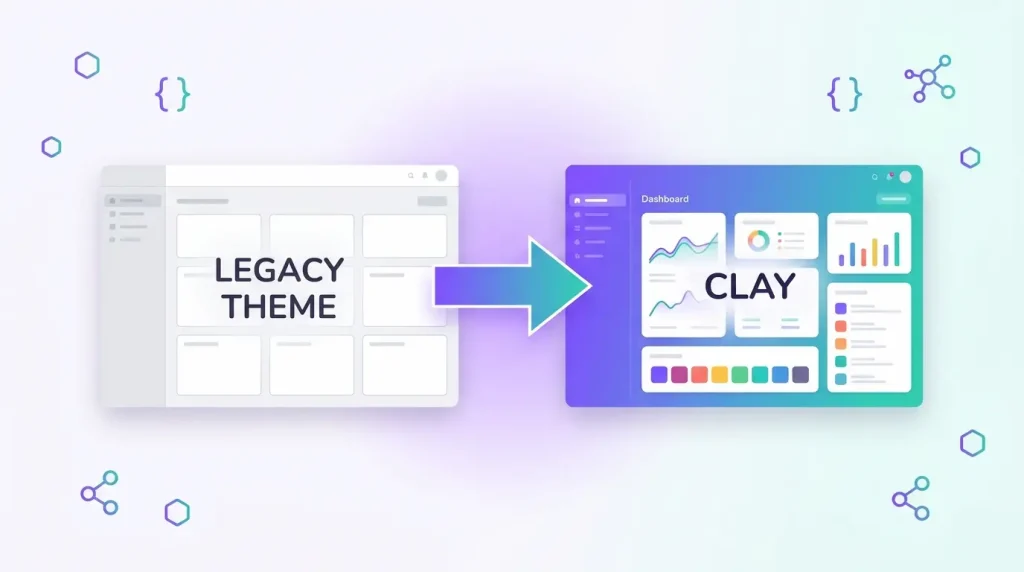
Custom Liferay theme development has changed more in the last few years than in the decade before it. The classic Gulp-and-Node theme module is no longer the only way to restyle a portal: Liferay now ships a Theme CSS client extension that lets you replace the theme’s stylesheets without touching the portal’s OSGi runtime. If you are planning a redesign, a rebrand or a migration, choosing the right approach early saves weeks of rework.
This guide explains how Clay and the Theme CSS client extension fit together, when a theme module still makes sense, and the practices we recommend for any Liferay theme development project. For the wider picture of how we work with the platform, see our Liferay services page.
What a Liferay theme actually controls
A theme defines the look and feel around your content: the page shell, navigation, header and footer, typography, colours, spacing and the styling of every out-of-the-box widget. Content, layouts and widgets themselves are separate concerns. That separation matters, because most “theme problems” are really one of three different things:
- Branding: colours, fonts, logos, spacing and component styling.
- Structure: the HTML around the page, such as header, footer and navigation templates.
- Behaviour: JavaScript that adds interactions on top of the page.
Knowing which of the three you need to change determines which mechanism to use.
Clay: the design system underneath
Liferay’s UI is built on Clay, its design system based on Bootstrap. Every out-of-the-box widget, the control panel and the page editor use Clay components and styles. Whatever approach you choose, a custom theme is in practice a custom Clay build: you override Sass variables and add your own rules, and Clay compiles them into the CSS the browser receives.
The practical consequence is simple. Work with Clay’s variables and components rather than against them. Overriding a colour or border radius through a variable updates every button, form field and card consistently. Overriding it with a selector on a single widget gives you a theme that breaks the next time a widget is added to a page.
Your options in 2026: theme module or Theme CSS client extension
Theme CSS client extension
According to the Liferay documentation, a Theme CSS client extension overrides the current theme’s main.css and clay.css files. It is defined in a client-extension.yaml file with type: themeCSS, plus URLs for the main and Clay stylesheets and their right-to-left variants. Your Sass lives in src/css/_custom.scss, and the build compiles it into the final files. The package.json declares whether the base theme is styled or unstyled.
Because the extension runs outside the portal’s module system, you can deploy and update it independently. On a self-hosted workspace you deploy with Gradle from the extension folder; on Liferay SaaS you use the Liferay Cloud CLI (lcp deploy). We cover the wider trade-offs between this model and server-side modules in our article on Liferay client extensions vs OSGi modules.
Classic theme module
A theme module is still the right tool when you need to change the page structure itself, for example custom header and footer templates, or when you maintain an existing portal that already depends on one. It is built with the Liferay Workspace tooling and deployed into the runtime as a bundle. The trade-off is coupling: it is tied to the portal version, and it cannot run on SaaS, where custom code is limited to client extensions.
Which one should you choose?
- New project, branding changes only: start with a Theme CSS client extension.
- Liferay SaaS: client extensions are the way to customise the front end.
- Heavy structural changes or an existing theme module: stay on the module, and plan an incremental move.
- Small tweaks on top of the default theme: a plain CSS or JavaScript client extension may be enough. These are appended to the theme’s
theme.cssandmain.jsrather than replacing them.
Things to know before you start with Theme CSS client extensions
The documentation lists several constraints that are easy to miss:
- The extension fully replaces the theme’s default CSS, so you must supply Clay styling for out-of-the-box widgets. Move any custom theme styles into
_custom.scss. - Frontend token definitions in a Theme CSS client extension need Liferay DXP 2024.Q2 / Portal 7.4 GA120 or later. Earlier releases required a theme module for that.
- The workspace Gradle plugin
com.liferay.gradle.plugins.workspacemust be version 10.1.1 or later. - Setting the
controlPanelscope, to style administrative pages, needs DXP 2025.Q1 / Portal GA132 or later, and only workspace-based extensions can set it. Style books do not apply to admin themes, so frontend tokens add nothing there. - Changing a page’s theme removes the extension, so apply it at the site level when you want a consistent result.
Always confirm these details against the documentation for your exact version before you commit to a design.
Best practices for Liferay theme development
1. Build on tokens and Sass variables, not selectors
Define your brand once: colours, typography scale, spacing and radius. Express those as Clay variables and, where supported, as frontend tokens so that content editors can adjust them from style books without a developer. Page-specific selectors should be the exception.
2. Treat the theme as a component library
Document each component’s states, spacing and breakpoints in one place, and test them against real Liferay widgets: Web Content, Asset Publisher, Search, Forms and the page editor fragments. A theme that only looks right on a mocked-up homepage will fail on the pages your editors build next quarter. We describe this approach in our custom Liferay theme and UI component library case study.
3. Keep presentation out of the theme where fragments can carry it
Fragments and content page templates are better for layout-level design that editors should control. Reserve the theme for global concerns, such as typography, colours, navigation shell and footer.
4. Host assets properly
The Liferay documentation recommends against hosting design resources in Documents and Media for these extensions: permissions can be confusing, users can change or delete the files, and Documents and Media cannot serve the correct MIME type for CSS. Use the extension’s own static assets instead.
5. Design for accessibility and performance from day one
Check colour contrast against WCAG 2.2 AA, visible focus states, and reduced-motion preferences when you define the tokens. Then measure the shipped CSS: a theme that adds hundreds of kilobytes of unused rules will hurt Core Web Vitals on every page.
6. Put theme changes through a real pipeline
Store the extension in version control, build it in CI, and test it on a staging environment that matches production, with the same widgets and the same content. For deployment options across SaaS, PaaS and self-hosted, see our cloud deployment and DevOps services.
Upgrading: what happens to your theme
Themes are one of the most common sources of surprises during a version upgrade, because custom Sass and template overrides depend on the Clay and portal version they were written against. If you are heading for a newer release, review your theme early in the project, not after the data upgrade. Our guide to migrating from Liferay 6.2 to DXP 7.4 includes the front-end checks we run, and a client extension is often the cleanest way to rebuild an old theme on the new platform.
Frequently asked questions
Can I use a Theme CSS client extension on Liferay SaaS?
Yes. Client extensions are how front-end customisation is done on SaaS, and the documentation describes deploying them with the Liferay Cloud CLI using lcp deploy.
Do I still need a theme module?
Not for branding. If you only need to change colours, typography and component styling, a Theme CSS client extension is enough. You still need a module for deep structural changes to the page templates.
What is the difference between a CSS client extension and a Theme CSS client extension?
A CSS client extension appends your styles to the theme’s theme.css, so the default theme stays in place. A Theme CSS client extension replaces main.css and clay.css and therefore gives you full control, along with the responsibility to style every widget.
Do I need to know Clay to build a Liferay theme?
You do not need to master it, but you should know its Sass variables and component classes, because they define what you are overriding. Starting from the sample workspace’s theme CSS extension is the quickest way to learn.
How long does a custom Liferay theme take?
It depends on the number of templates, components and widgets to restyle, so we scope it after reviewing your design and your current portal. A short technical assessment gives a realistic estimate.
Planning a Liferay upgrade or redesign? Get a free technical assessment. Our UI/UX engineering team can review your current theme and recommend the right approach.