
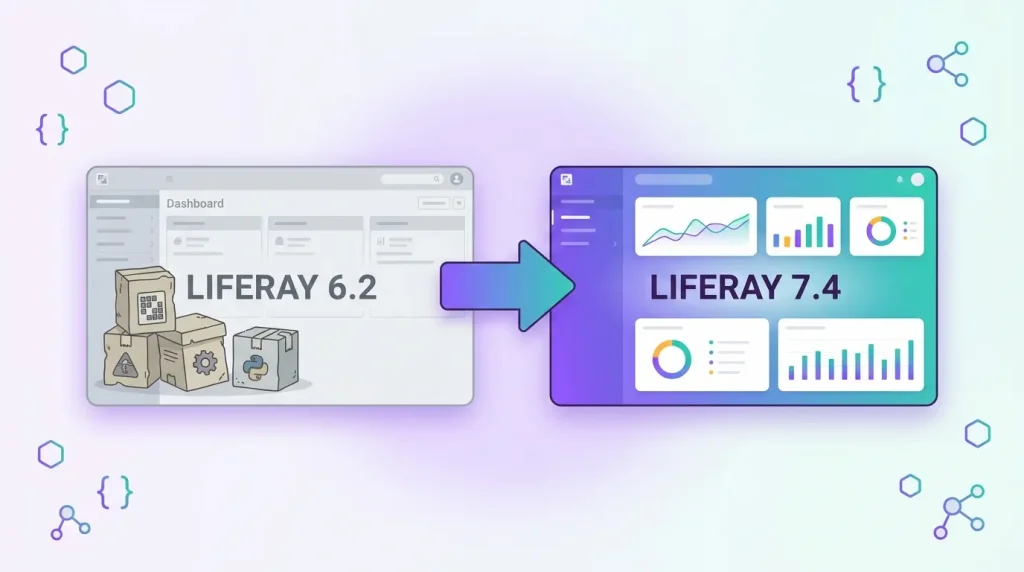
If your company still runs Liferay Portal 6.2, the hardest part of the move is rarely the portal itself. It is the custom code around it: portlets, hooks, Ext plugins, Service Builder layers and themes built in the old Plugins SDK. This guide explains how Liferay 6.2 plugin migration works, what can be converted mostly automatically, and what has to be rewritten.
For the full upgrade sequence (database, content, infrastructure), read our step-by-step 6.2 to DXP 7.4 migration guide. This article zooms in on the code.
Why 6.2 plugins do not simply carry over
Liferay 7.0 replaced the plugin model of 6.2 with OSGi modules. The Plugins SDK (Ant-based) is gone, and Liferay Workspace (Gradle-based) is the supported development environment. Liferay’s documentation states that projects built before 7.0 in a Plugins SDK must be migrated to a Liferay Workspace to be used with any version beyond 6.2.
In practice this means three things for a 6.2 codebase:
- The build system changes (Ant and Ivy to Gradle in a Workspace).
- Many core features were extracted into separate OSGi modules, so imports and dependencies change.
- Some extension mechanisms, notably Ext plugins, no longer exist and need a different approach.
Step 1: Inventory every plugin
Before touching any code, list what you actually have. A 6.2 Plugins SDK usually contains a mix of the following, and each type follows a different path:
- Portlets (including Service Builder portlets)
- Hooks (JSP hooks, portal properties hooks, service wrappers, model listeners)
- Ext plugins
- Themes and layout templates
- Web plugins and custom servlet filters
For each one, record who uses it, whether it still matters to the business, and how much custom logic it contains. In most upgrades a meaningful share of old plugins can simply be retired, which shrinks the project before it starts.
Step 2: Create a Liferay Workspace and convert what you can
Liferay provides Blade CLI with a blade convert command. Once you have created a Workspace, you can point it at the old Plugins SDK and convert everything, or one project at a time. The documented syntax is blade convert -s [path to old Plugins SDK] -a for all projects.
According to Liferay’s documentation, the conversion treats project types differently:
- Service Builder projects: Blade creates separate API and service OSGi modules, while the portlet remains a WAR placed in the Workspace
warsfolder. - Themes: they are converted to use Node.js tooling like 7.x themes; for Java-based themes you can pass
-tto use the Theme Builder Gradle plugin instead. - Prerequisite: the Plugins SDK projects must be ready to deploy, for example with Service Builder services already generated.
Treat the output as a starting point, not a finished migration. The converted projects still compile against 6.2 APIs, so the real work begins in the next steps.
Step 3: Migrate each plugin type
Portlets
A standard JSR-286 portlet can often stay a WAR for a first iteration, which gives you a faster path to a running system. Over time, portlets that you keep investing in are good candidates for conversion to OSGi modules using the @Component annotation model, which replaces descriptor files with service properties.
Service Builder
You essentially have two choices: keep the Service Builder layer inside a portlet WAR, or extract it into API and service modules. Separate modules give cleaner dependencies and let other modules consume your services, which is why Blade creates them by default. Whichever you choose, you will have to rebuild the services and verify that the database tables map correctly, because the data layer is where upgrade surprises often appear.
Hooks
Many 6.2 hooks keep working in a compatible form but gain no new power. Hooks are prime candidates for rewrite as OSGi modules, because 7.x exposes far more extension points: service wrappers, model listeners, JSP overrides through fragment bundles, and component overrides for existing portlets.
Ext plugins
Ext plugins are not supported in Liferay 7.x. Each customization in an Ext plugin has to be re-implemented with a supported mechanism: an OSGi module, a portal property or configuration, a service wrapper or an override component. This is usually the slowest part of a 6.2 upgrade, so audit your Ext plugin early and find out what each class change was meant to achieve.
Themes
Themes are largely a rebuild. 7.x themes are based on Clay and Node.js tooling, and old Velocity-based templates and 6.2 markup rarely map one-to-one. Budget design and front-end time, not only backend time.
Step 4: Fix dependencies and breaking changes
Once everything lives in a Workspace, the compiler becomes your guide. Liferay’s current documentation for custom development upgrades lists this order: upgrade the Workspace, fix dependencies and breaking changes, upgrade Service Builder services, then upgrade customization plugins, themes, frameworks and portlets. It also notes that in 7.4 many language keys moved into the Liferay Portal Language module and were renamed, so your language.properties files need attention.
Consult the official Deprecations and Breaking Changes Reference for each version you cross. Going from 6.2 to 7.4 means absorbing the changes of 7.0 to 7.4 at once, which is why a staged approach (compile, fix, deploy, test) works better than a single big-bang rewrite.
A note on tooling: Liferay’s Code Upgrade Tool and Upgrade Planner were built for earlier targets. Liferay’s knowledge base states the Upgrade Planner is no longer developed and is not compatible with 7.4 and above. Expect to rely on Blade CLI, the compiler and manual review for a 7.4 target.
Step 5: Test with production-like data
Run the migrated modules against a copy of production data, after the database upgrade has been rehearsed. Focus tests on permissions, custom fields, workflows and any integration that reads or writes through your services. Automated smoke tests for each migrated plugin make later 7.4 patch updates much cheaper.
A realistic migration plan
- First: plugin inventory, retire dead code, create the Workspace.
- Next: run
blade convert, get the Workspace building, migrate Service Builder. - Then: rewrite hooks and Ext customizations, rebuild themes.
- Finally: regression testing and a rehearsal of the full upgrade.
Durations depend on how many plugins you have and how much logic sits in Ext customizations, so size the project from the inventory rather than from a fixed template.
To see how this plays out on a real project, read our Liferay Portal migration to DXP 7.4 case study, or explore our Liferay services.
Frequently asked questions
Can I run my 6.2 plugins unchanged on Liferay 7.4?
No. They must at least be moved from the Plugins SDK to a Liferay Workspace and recompiled against current APIs. Some WAR portlets migrate with limited changes, but hooks, Ext plugins and themes need real rework.
Does blade convert migrate everything automatically?
No. It converts project structure, for example splitting Service Builder into API and service modules and moving themes to the Node.js toolchain. You still fix compile errors, deprecated APIs and behavior differences by hand.
What happens to my Ext plugin?
Ext plugins are not supported in 7.x. Each customization must be reimplemented through supported extension points such as OSGi modules, configuration or service wrappers.
Should I convert everything to OSGi modules immediately?
Not necessarily. Keeping stable portlets as WARs can shorten the first release, while code you keep evolving should move to OSGi modules over time.
Planning a Liferay upgrade? Get a free technical assessment.