
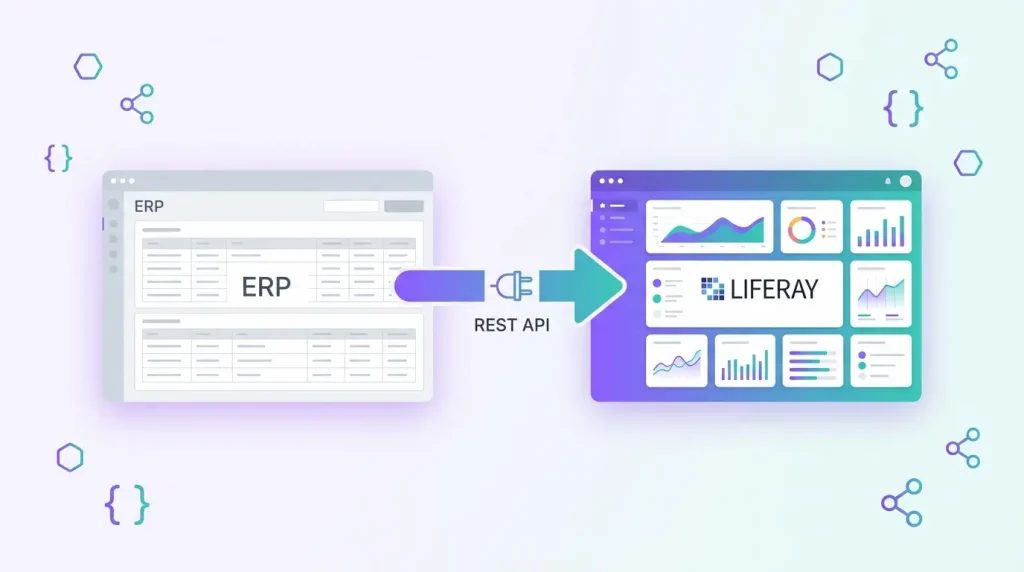
Connecting an ERP to a portal is rarely a technology problem. It is a data-ownership problem: which system is the source of truth for customers, orders, prices and invoices, and how do changes travel between them without breaking either side? Liferay DXP gives you a solid toolbox for this because its services and every custom Object can be reached through headless REST APIs. This guide explains how to approach a Liferay REST API integration with an ERP such as SAP, Oracle, Microsoft Dynamics or Odoo, and where the common traps are.
Start with the integration pattern, not the API
Before writing any code, decide which of three patterns you actually need. Most projects combine two of them.
- Pull (portal reads from ERP): the portal calls the ERP when a user opens a page, for example to display live order status. Simple, but the portal is only as fast and available as the ERP.
- Push (ERP writes to portal): a scheduled job or middleware sends product, customer or document data into Liferay through its REST and batch endpoints. The portal stays fast because it serves its own copy.
- Event-driven (portal notifies ERP): when a user submits a form or creates a record in Liferay, an outbound call tells the ERP immediately.
A useful rule of thumb: data that changes slowly and is read often (catalogues, price lists, organisation structures) should be pushed. Data that is personal and time-sensitive (order status, invoice balance) is better pulled on demand. Data created in the portal (requests, quotes, onboarding forms) should trigger events.
What Liferay’s headless REST APIs give you
Liferay exposes its capabilities as REST services that follow the OpenAPI standard, and the same services are available through GraphQL. URLs generally follow the pattern /o/{api-name}/{version}/{resource}, for instance /o/headless-delivery/v1.0/... for content, with headless-admin-* families for administration. You can browse and test the endpoints your own instance exposes in the API Explorer, available under /o/api.
Three characteristics matter for ERP work:
- Custom Objects get APIs automatically. When you publish a Liferay Object, Liferay generates REST endpoints for it, including batch endpoints for bulk create, update and delete. If you model an ERP entity such as a customer account or a purchase request as an Object, you get an integration surface without writing Java.
- External reference codes (ERCs). Many entities can be addressed by an external reference code, which is where you store the ERP’s own identifier. This makes upserts idempotent: the same ERP record always maps to the same Liferay record, and you avoid maintaining a separate ID mapping table.
- The Batch Engine. Liferay’s Headless Batch Engine can import and export large datasets in CSV, JSON and XLSX formats, which is the right tool for initial loads and nightly synchronisations.
For background on where low-code stops and custom code begins, see our guide on Liferay client extensions vs OSGi modules.
Authentication: OAuth 2.0 for server-to-server calls
ERP integrations are machine-to-machine, so the OAuth 2.0 client credentials flow is the natural fit. You register an application in the OAuth 2 Administration panel, grant it only the scopes it needs, and the integration requests an access token from the /o/oauth2/token endpoint, then sends it as a Bearer token on each call. Liferay’s documentation also covers the authorization code and password flows for user-facing applications.
Practical advice:
- Create one OAuth application per integration, not one shared credential for everything. When one connector misbehaves you can revoke it without touching the others.
- Scope tightly. An inventory sync does not need access to user administration.
- Run the service account with the minimum Liferay permissions, because OAuth scopes and Liferay’s own permission system both apply.
- Keep client secrets in your secret manager or CI/CD vault, never in source control.
Pushing ERP data into Liferay
Initial load and bulk updates
For catalogue or customer data, export from the ERP into JSON or CSV and send it through the Batch Engine, using the batch endpoints of the target Object or API. Map the ERP primary key to the external reference code so that re-running the job updates records instead of duplicating them. Treat every import as repeatable: if a run fails halfway, you should be able to start it again safely.
Incremental synchronisation
After the first load, send only what changed. Ask the ERP for records modified since the last successful run, keep that timestamp in your middleware, and use small batches. Log each batch with a correlation ID so that a support engineer can trace one order from ERP to portal in minutes.
Mind the search index
One behaviour surprises many teams. Liferay’s collection and filter queries are served from the search index, so a record you just created may take a short moment to appear in a list, while a lookup by ID or by external reference code reads from the database directly. If your integration writes a record and immediately needs to read it back, use the ERC lookup rather than a filtered list.
Notifying the ERP when something happens in the portal
For the event-driven direction, Liferay Objects support actions that run when an entry is created, updated or deleted. The documentation describes three main options:
- Webhook action: sends the payload to a target URL via POST, optionally signed with a shared secret so the receiver can verify the call came from Liferay.
- Object action client extension: runs your own logic in an external microservice. Choose this when the target requires OAuth 2.0, because the webhook action does not cover that case.
- Groovy script action: runs inside Liferay, but scripting is disabled by default in recent releases and unavailable in Liferay SaaS.
In practice we recommend pointing events at a small middleware service or integration platform rather than directly at the ERP. ERP interfaces (SOAP, OData, IDocs, proprietary REST) rarely match what a webhook sends, and middleware gives you a place for transformation, retries and monitoring. Plan for failures explicitly: do not assume a failed delivery will be retried for you, and verify that behaviour on your Liferay version.
Design for failure from day one
ERPs go down for maintenance, batch windows overrun and networks time out. A robust integration therefore includes:
- Idempotency: every write can be repeated without side effects, thanks to external reference codes.
- Retries with back-off in the middleware, plus a dead-letter queue for messages that keep failing.
- Caching for pull scenarios so the portal degrades gracefully when the ERP is slow. Showing data that is five minutes old is usually better than an error page.
- Monitoring and alerting on sync lag, failure counts and token errors, not just on server health.
- Versioned contracts. Liferay API URLs include a version, and so should your own middleware interfaces.
Where custom code still makes sense
Headless APIs and Objects cover a large share of integration needs, but not all. If you need complex business rules, custom UI that combines ERP and portal data, or deeper hooks into Liferay’s permission model, custom modules remain the right answer. We have built such components for enterprise portals, as described in our case study on custom OSGi modules and portlets for Liferay DXP. For the surrounding architecture (middleware, queues, API gateways), see our API and system integration services.
A practical checklist
- Define the system of record for every entity before building anything.
- Model ERP entities as Liferay Objects and store the ERP key as the external reference code.
- Create one OAuth 2.0 client per integration with minimal scopes.
- Use the Batch Engine for bulk loads and small incremental batches afterwards.
- Route portal events through middleware, not straight into the ERP.
- Test with realistic volumes and with the ERP unavailable.
If your portal runs on an older Liferay release, check which headless APIs it actually provides before choosing a design. Our Liferay services page explains how upgrades and integrations fit together.
Frequently asked questions
Can Liferay integrate with SAP or Oracle without custom Java code?
Often yes. Objects, headless REST APIs, the Batch Engine and object actions cover many scenarios, usually with a middleware layer that translates between the ERP protocol and Liferay’s REST APIs. Custom code is needed only for advanced business logic or UI.
Which authentication method should an ERP integration use?
OAuth 2.0 with the client credentials flow is the standard choice for server-to-server integrations. Register a dedicated application, limit its scopes and store the secret securely.
How do I avoid duplicate records when syncing?
Store the ERP identifier in the entity’s external reference code and use it for upserts. Repeating a sync then updates existing records instead of creating new ones.
Should the portal call the ERP in real time?
Only for data that must be live. For slow-changing data, synchronise into Liferay and serve it locally, which is faster and keeps the portal available when the ERP is not.
Does this work on Liferay SaaS?
Headless APIs, Objects and client extensions are available in SaaS, but Groovy script actions are not, so use webhooks or object action client extensions for outbound events.
Talk to us about your integration
Planning a Liferay upgrade? Get a free technical assessment, including a review of how your portal connects to your ERP.