
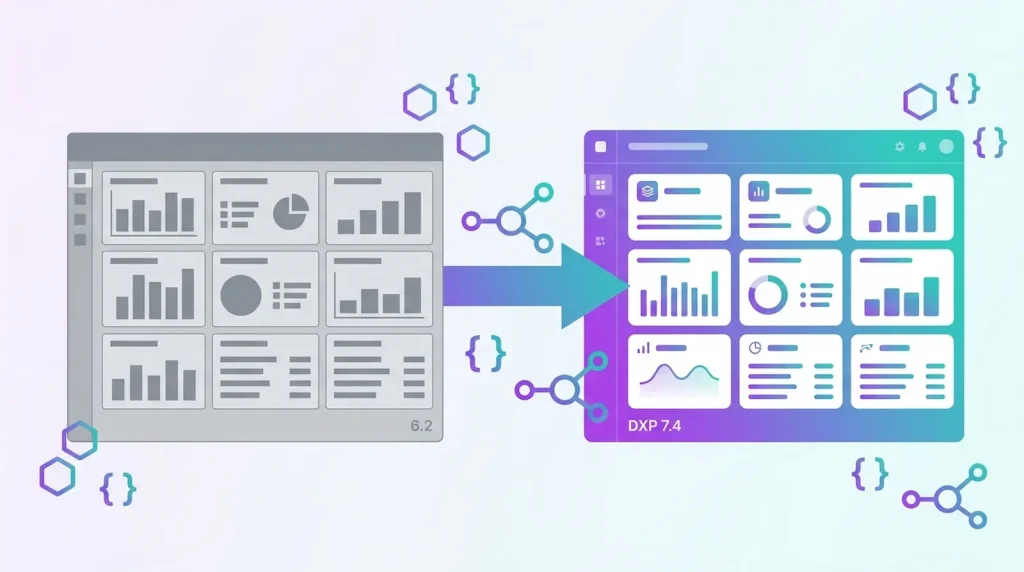
Liferay Portal 6.2 reached end of standard support years ago, yet many enterprises still run production workloads on it — usually because a migration feels riskier than staying put. Having recently completed a full 6.2-to-DXP-7.4 migration for an enterprise client with zero downtime at go-live, we’re sharing the process we followed, including the parts that are easy to underestimate.
2026 Update: Target Liferay DXP 2026.Q1 LTS, Not 7.4
Updated September 2026. The process below is still how we run migrations — but if you are starting one today, the target should be Liferay DXP 2026.Q1 LTS rather than 7.4. Liferay now ships quarterly releases, and each year’s Q1 release is the Long-Term Support version: three years of Premium Support followed by two years of Limited Support. Older 7.4 updates only receive bug fixes for a limited time, so migrating to 7.4 today means planning a second upgrade soon after go-live.
Three things change compared with a 7.4 target:
- Check your upgrade path first. Depending on your source version, Liferay’s official upgrade path may require an intermediate step. Confirm it during the pre-migration assessment, not during the data migration.
- Consider Client Extensions before OSGi modules. For many customizations that used to be hooks or portlets, Client Extensions are now Liferay’s recommended approach. They run outside the Liferay JVM, survive platform upgrades better, and are the only customization option on Liferay SaaS. OSGi modules remain the right tool for deep platform changes.
- Decide on hosting early. Self-hosted, PaaS and SaaS don’t allow the same level of customization, and that choice shapes how each of your 6.2 plugins should be rebuilt.
The rest of this guide — assessment, parallel environment, incremental data validation, layered testing and zero-downtime cutover — applies unchanged.
Why Migrate from Liferay Portal 6.2 to DXP 7.4
Liferay DXP 7.4 isn’t just a version bump — it’s a different architecture. Portal 6.2 relies on Ext plugins and a monolithic deployment model; DXP is built on OSGi modules, meaning individual pieces of functionality can be deployed, updated, and scaled independently. Beyond the architectural shift, the practical drivers are usually:
- Security — 6.2 no longer receives patches for newly discovered vulnerabilities
- Modern APIs — DXP’s headless REST APIs make integrating with mobile apps, external systems, and modern frontends far simpler than 6.2’s SOAP-heavy approach
- Performance and scalability — OSGi’s modular deployment allows targeted scaling of high-traffic components without redeploying the entire portal
- Vendor support and talent availability — fewer engineers are willing to maintain 6.2-era codebases
Pre-Migration Assessment
Skipping this phase is the single biggest cause of migrations that stall halfway through. Before writing any migration code, we audit three things:
Custom modules and portlets. Every Ext plugin, hook, and custom portlet needs to be individually assessed — some port cleanly to OSGi modules, others need to be substantially rearchitected around Service Builder and the new module system.
Data model changes. Liferay’s underlying schema evolved significantly between 6.2 and 7.4. A direct database dump-and-restore will not work; data needs to be mapped and migrated through Liferay’s upgrade processes, table by table where custom entities are involved.
Theme and UI compatibility. 6.2 themes are typically built on Velocity templates. DXP favors Freemarker and the Clay UI component library. Depending on how custom the original theme is, this can range from a straightforward template conversion to a full UI rebuild.
The Step-by-Step Migration Process
1. Stand up a parallel DXP 7.4 environment. Never migrate in place. A parallel environment lets you validate each step without any risk to the live 6.2 instance, and gives you a rollback path at every stage.
2. Migrate and validate data incrementally. Run Liferay’s upgrade processes against a copy of production data, then validate record counts, relationships, and custom field integrity against the source. Repeat this as a dry run at least once before the real cutover — data issues found late are far more expensive to fix.
3. Port custom modules to OSGi. This is usually the most labor-intensive phase. Ext plugins and hooks get rebuilt as OSGi modules using Service Builder for persistence and the module framework for lifecycle management. Where possible, this is also a good opportunity to clean up technical debt accumulated over the plugin’s lifetime.
4. Rebuild the theme. Convert Velocity templates to Freemarker, and adopt Clay UI components where it makes sense — this also tends to improve accessibility and responsive behavior compared to older custom-built themes.
5. Test in layers. Functional testing (does every workflow still work), performance testing (does the new architecture hold up under realistic load), and security testing (dependency scanning, access control validation) — each as a distinct pass, not a single combined QA cycle.
6. Execute a zero-downtime go-live. With the parallel environment fully validated, the cutover itself should be a DNS/load-balancer switch rather than a maintenance-window deployment. A short read-only freeze on the old system during final data sync avoids write conflicts, but full downtime is avoidable with proper planning.
Common Pitfalls to Avoid
- Underestimating custom module complexity. A plugin that looks simple in 6.2 can hide years of undocumented business logic — budget real time for the assessment phase, not just the porting.
- Treating data migration as a single event. Run it incrementally and validate at each stage, not as one big migration script the week of go-live.
- Skipping a proper staging validation. Every workflow a real user depends on should be tested in the parallel environment before cutover, not discovered broken in production.
How Long Does It Take?
For a mid-sized enterprise portal with a moderate number of custom modules, a well-planned migration typically runs 4 to 8 weeks. Highly customized portals with extensive Ext plugin usage can take longer — the pre-migration assessment is usually what tells you which category you’re in.
If you’re running Liferay Portal 6.2 and weighing whether to migrate, we’re happy to review your current setup and give you an honest estimate of scope and timeline. Get in touch for a free technical consultation.